Navratri portrait prompts
Create a garba-night portrait with warm courtyard lights, mirror-work fabric and a recognisable face.
Make the prompt yours
Edit the uploaded portrait as an adult Navratri festival portrait. Dress the subject in {Outfit} and place them in {Setting}. Use {Lighting}. Preserve the subject’s facial geometry, expression, skin tone, hairstyle and pose. Keep embroidery and jewelry physically plausible. Blur background dancers slightly and keep the subject sharp. Frame as a waist-up 4:5 portrait. Leave lettering out of the image.Tested example: a Garba-night portrait
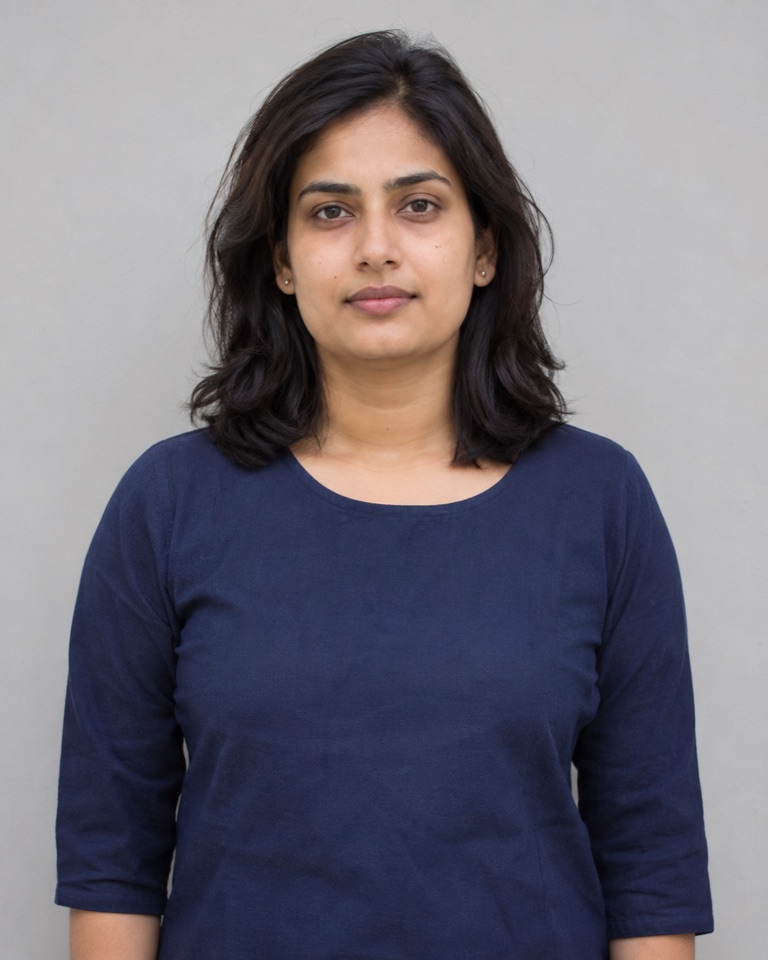
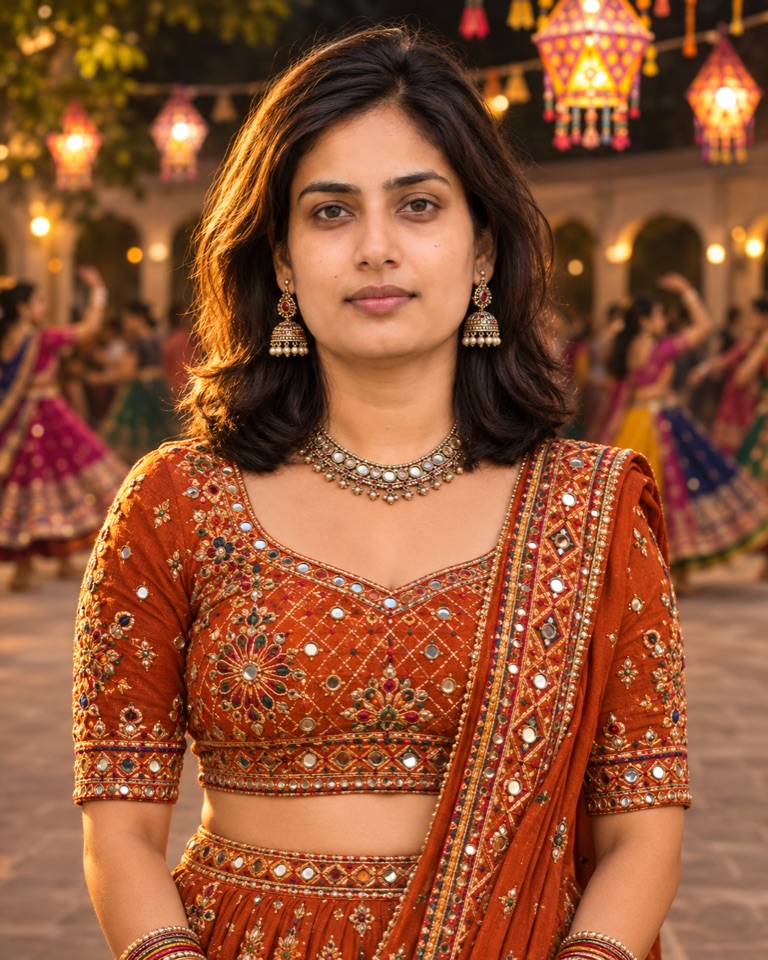
We used the default prompt above with the fictional reference portrait below in OpenAI’s image generation tool on 21 November 2026. This is one image-editing result; other tools and runs can produce different results.
What changed
The result added the rust-orange embroidered outfit, jewellery and lantern-lit setting. The frontal pose and expression remained similar to the reference, though the face and lighting changed subtly. The result is a portrait crop, so it does not show the full skirt or demonstrate dance movement.
Try it with your own photo
- Choose a clear waist-up image with your face and hair visible. Attach it to a photo editor that accepts reference images.
- Copy the default prompt above. Change the outfit, setting or lighting one field at a time.
- Compare the face and hairline with your original. Inspect the small mirror pieces and jewellery before saving. If the likeness drifts, first ask for the outfit alone, then add the background in a separate pass.
We did not test this example in Gemini. Results depend on the editor, reference photo and individual run.